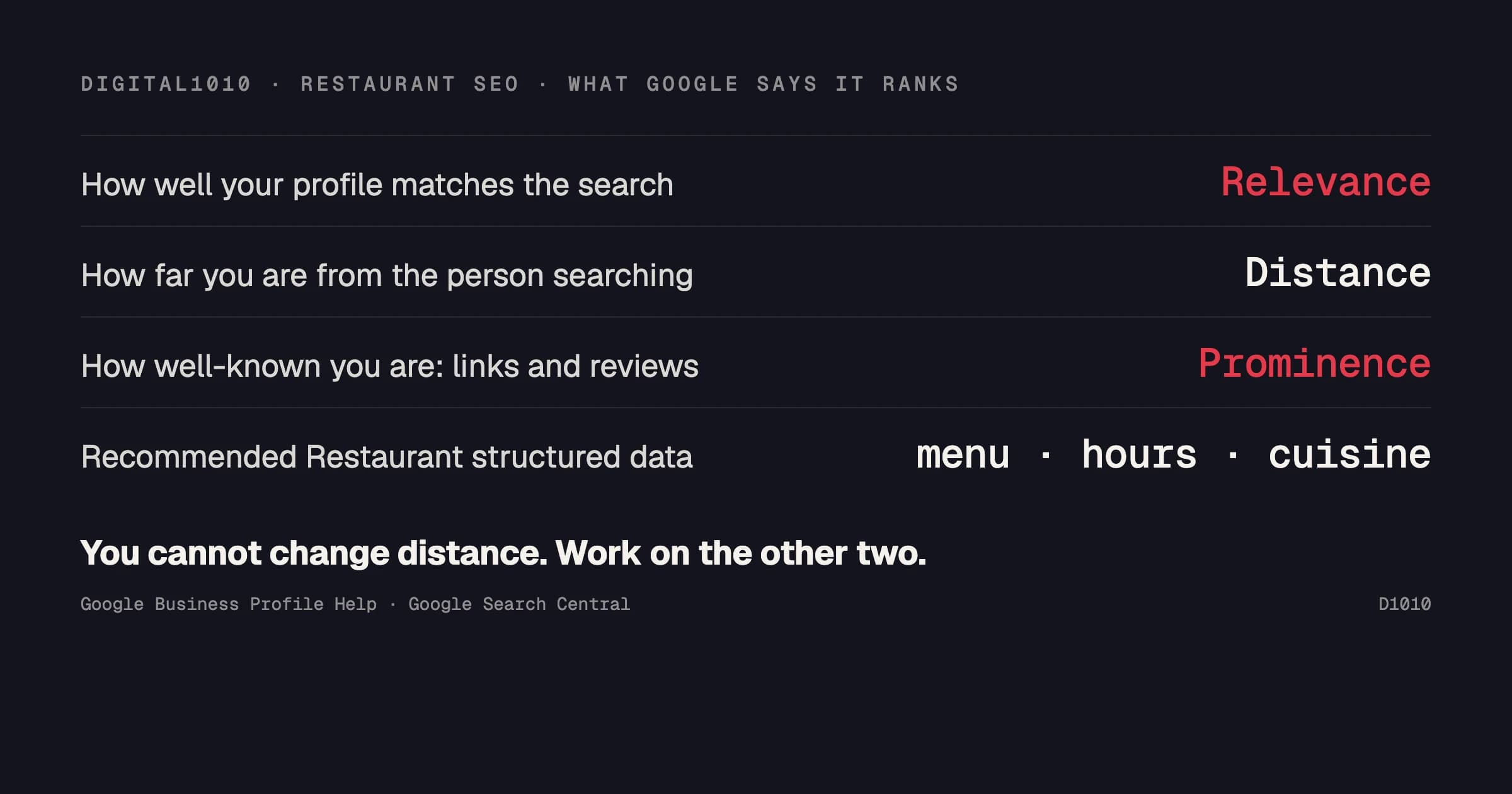
Google documents how local ranking works: relevance, distance and prominence. Distance is not something you can change. Restaurant SEO means working on the other two, on your Google Business Profile and on your website, and making sure both state the same accurate information about your location, your hours and your menu.
We design, build, and maintain the sites for Bloomin' Brands' Aussie Grill and Outback & Carrabba's Express concepts (case study). None of what follows is a ranking outcome from those sites. It is Google's own published guidance, quoted word for word, along with how we build to it.
If you operate a single restaurant, sections 1 to 3 give you a full checklist to handle on your own. If you operate multiple locations or concepts, sections 2 to 5 are where consistency becomes difficult to maintain.
How Google ranks restaurants in local search
Google's help page lists the three factors:
- Relevance: "how well a Business Profile matches what someone is searching for."
- Distance: "how far each business is from the customer who's searching."
- Prominence: "how well-known a business is."
Relevance is about information. As Google puts it, "Businesses with complete and accurate info are more likely to show up in local search results." Prominence is about links and reviews, which section 3 covers.
1. Fix your Business Profile first
Google warns that if your information is not accurate, your profile "might not show up for relevant searches in your area."
What to review this week:
- Your hours, including special hours, match your door and your website.
- Photos show what you serve. Google's advice is to "show customers what you offer and tell the story of your business with photos and videos." We suggest the food, the room and the outside of the building, so people recognize it when they arrive.
- Reviews get replies. Google says "Positive reviews and helpful replies can help your business stand out."
- If you have more than one location, our recommendation is a separate profile for each.
2. Give your website the details the profile cannot
Put the menu on a real page. Google's LocalBusiness structured data includes a menu property: "the fully-qualified URL of the menu." A menu PDF has a URL too. A menu on its own web page reads on a phone without a download, and a menu locked inside an image cannot be read as text by software at all.
Give every location its own page. This is our practice, not a Google rule: one page per location with its own address, phone number, hours and menu link, so a search for that location has one clear page to land on.
Add structured data. Structured data is code on the page that says, in a form software can read: this is a restaurant, here is the address, the hours and the menu. Google recommends the most specific type, such as Restaurant. Name and address are required. Google recommends servesCuisine, menu, openingHoursSpecification and priceRange. Google does not list structured data as a local ranking factor. We add it because it removes guesswork about what the page is. If your site has none, hand this paragraph to whoever builds it.
3. Build prominence off your website
Google states that prominence is "also based on info like how many websites link to your business and how many reviews you have." Those links can come from local press, food writers, event listings, and chamber or tourism sites. Reviews come from asking for them and from replying to the ones you receive.
4. Build accessibility in from the start
Restaurant sites get used on phones, and by people with disabilities. On the Aussie Grill build, WCAG 2.1 AA conformance was enforced in the website's component library from day one, audited every year, and maintained monthly between audits. We wrote about why that matters for brands with several locations in ADA compliance for multi-location websites.
5. Use photography everywhere it can work
Google's photo guidance covers your profile, and those same photos should also appear on your website. For Aussie Grill, we ran a shoot over several days that covered food, lifestyle and environment, and the images went across the website, campaigns and brand assets. One planned shoot gives every channel a matching set.
How to tell whether it is working
Look at these for each location, every month:
- Business Profile performance report: calls, direction requests, website clicks and menu clicks, plus the search terms people used to find you.
- Search Console: clicks to each location page and to the menu page.
- Reviews: how many came in, and how many got a reply.
The short version
| Where | What to fix first |
|---|---|
| Business Profile | Complete, accurate hours and details; photos; replies to reviews |
| Website | A real menu page, one page per location, Restaurant structured data |
| Off the website | Links from local sites and press; a steady flow of reviews |
| Every page | Accessible, and consistent with the profile |
If you manage multiple locations or concepts and need a clear read on where your sites and profiles stand, send us your URL. We will review them from the outside and tell you what we would fix first. See how we work with hospitality brands.